

SmartX Player is a player only. We sell no channels, films or series, and provide no playlists — bring one you are entitled to use.
SMARTXPLAYER
SmartXWindows · televisions to follow

An IPTV player that actually decodes television

Most players are a web browser in a window, and a web browser refuses most of what a broadcaster sends. SmartX Player decodes with mpv instead — in hardware, deinterlacing as it goes — so the channels that show a black picture elsewhere simply play.

Free for 7 days. No card, no account.

The difference is the decoder

A browser engine plays H.264 with AAC and refuses the rest. These are not exotic formats — they are what European broadcast is made of, and every one of them is a channel that stays black in a player built on a browser:

MPEG-2MP3MPEG audio layer 2AC-3E-AC-3HEVCinterlaced H.264

mpv refuses none of them. It is the engine underneath every player that works, it decodes in hardware where the machine offers it, and it weaves interlaced broadcast back together while it does so.

And then the things you use every evening

The provider’s archive, with a timeline

Programmes that have already been broadcast play from your provider’s catch-up with a bar you can drag, ten-second skips, and a preview frame under the pointer — so you land where you meant to, not a minute past it.
A nine-day programme guide

Read from your playlist’s own XMLTV or from the panel, matched to channels by name when the identifiers disagree. What is on now, what follows, and a replay button on anything the archive still holds.

One connection to your provider

Subscriptions are counted in connections, and most players quietly take two for one channel. This one asks for the raw stream, which costs one — measured against the panel’s own counter, not assumed.

Films and series, where you left them

Position remembered per title, seasons and episodes kept as a page you can go back to, and the next episode starting on its own when one ends.

Made for a television as well as a desk

Every control is reachable with a remote: a back arrow top left, one press to full screen, a sleep timer, and subtitles you can size and colour so they are readable from a sofa.

Fourteen languages

English, Romanian, Hungarian, German, French, Spanish, Italian, Portuguese, Dutch, Polish, Russian, Turkish, Greek and Arabic — including the plural rules each of them actually uses.

Built to be read across a room

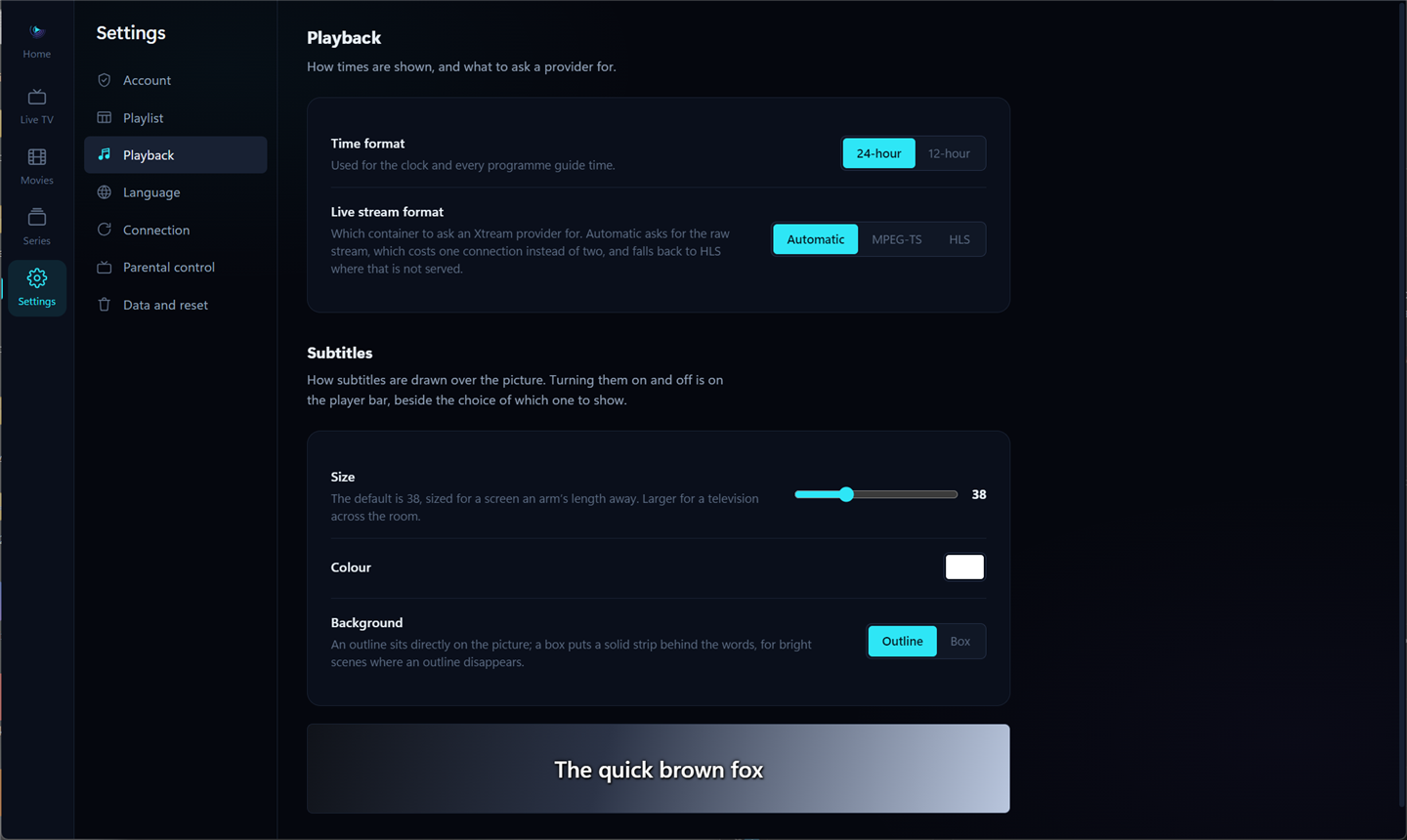
Every setting says what it does and why it is there, in your own language. Subtitles have a size, a colour and a box behind them, with a sample underneath so you can see it before you go back to the film.

SmartX Player's playback settings: time format, live stream format, and subtitle size, colour and background with a live sample.
Settings ▸ Playback, as it is — not a mock-up.

On the screen you watch on

Windows today. The rest are on the way, and are listed here honestly rather than as badges that lead nowhere.

  • Download nowDirect download
    WindowsAvailable now

    Windows 10 and 11, 64-bit. The installer carries the decoder with it — nothing else to fetch.

  • Download nowDirect APK
    Android TV & Google TVAvailable now

    Boxes and sticks, and the televisions that run Google’s own system. The same file as the Fire TV and telephone builds.

  • Download nowDirect APK
    Amazon Fire TVAvailable now

    Fire sticks and Fire televisions, installed with a short code in the Downloader app.

  • Download nowDirect APK
    Android phone & tabletAvailable now

    The same catalogue and the same guide, in a hand — and literally the same file the televisions install.

  • Planned forSamsung Apps
    Samsung — TizenPlanned

    Samsung smart televisions, 2018 and newer.

  • Planned forLG Content Store
    LG — webOSPlanned

    LG smart televisions, webOS 4 and newer.

  • Planned forVIDAA App Store
    Hisense — VIDAAPlanned

    Hisense sets and the others carrying their system.

  • Planned forWhale Store
    Whale OS — ZEASNPlanned

    The long tail of televisions nobody else names, on one system.

  • Planned forApp Store
    iPhone, iPad & Apple TVPlanned

    One application across the three, as Apple prefers.

Three steps, and none of them involve us

SmartX Player is a player. It has no channels of its own and sells none — you bring the subscription you already have.

OneInstall it

A Windows installer, or one Android file for televisions, Fire TV and phones. It does not ask for your provider’s password before it will open, and it does not sign you up for anything.

TwoAdd your playlist

An Xtream account or an M3U address, whichever your provider gave you. The catalogue is read once and kept, so it opens instantly afterwards.

ThreeWatch

Everything works during the 7-day trial. To carry on, ask your provider for an activation code and type it in — your favourites and settings stay exactly as they are.

Two lengths, one licence

A licence for the application. Your television subscription is between you and your provider.

5.80one year8.75unlimited, once
  • Every feature, on every screen the licence covers
  • Updates for as long as the licence runs
  • Keeps working for a few days if our service cannot be reached
  • 7 days free first, with nothing to cancel